Connecting AI search activity to a client’s product
If an AI answer recommends a competitor, you need more to work with than what the AI said.
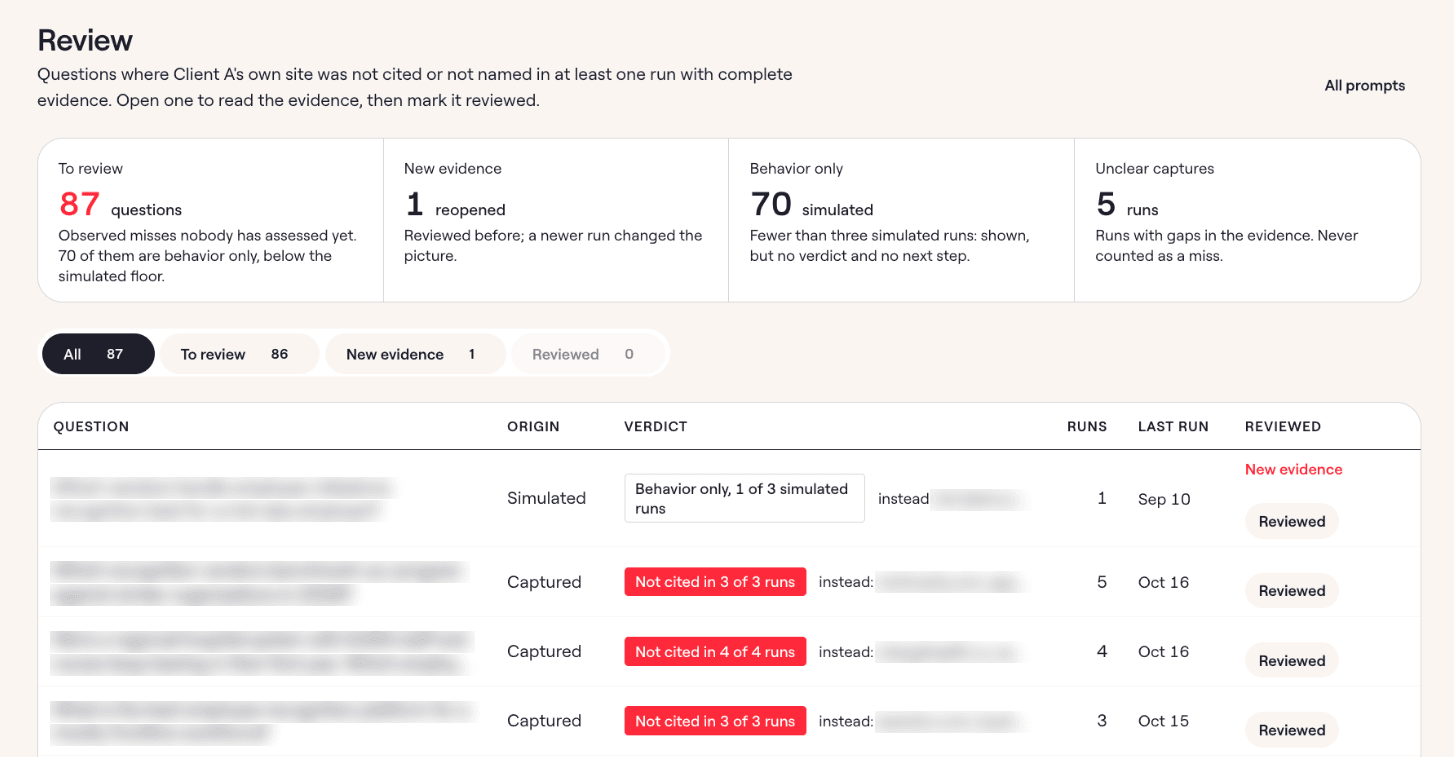
You need to understand what the AI platform searched for. The pages it used, how it described the products and came to that conclusion, and which of your client’s capabilities were relevant to the question but weren’t cited/referred to.
I designed a browser extension to record AI search activity and a dashboard where an SEO team can analyze that information. The aim was to give strategists enough context to investigate their clients’ visibility and decide what to optimize next and a plausible reason why they should.
How it works: see which sources and brands appear in AI answers
The extension records the search activity available from three AI apps. All a user has to do is to ask a query in the LLM and the browser extension will capture the behind-the-scenes activity the AI tool performed to arrive at that answer (which includes web search, websites opened and websites cited/used).
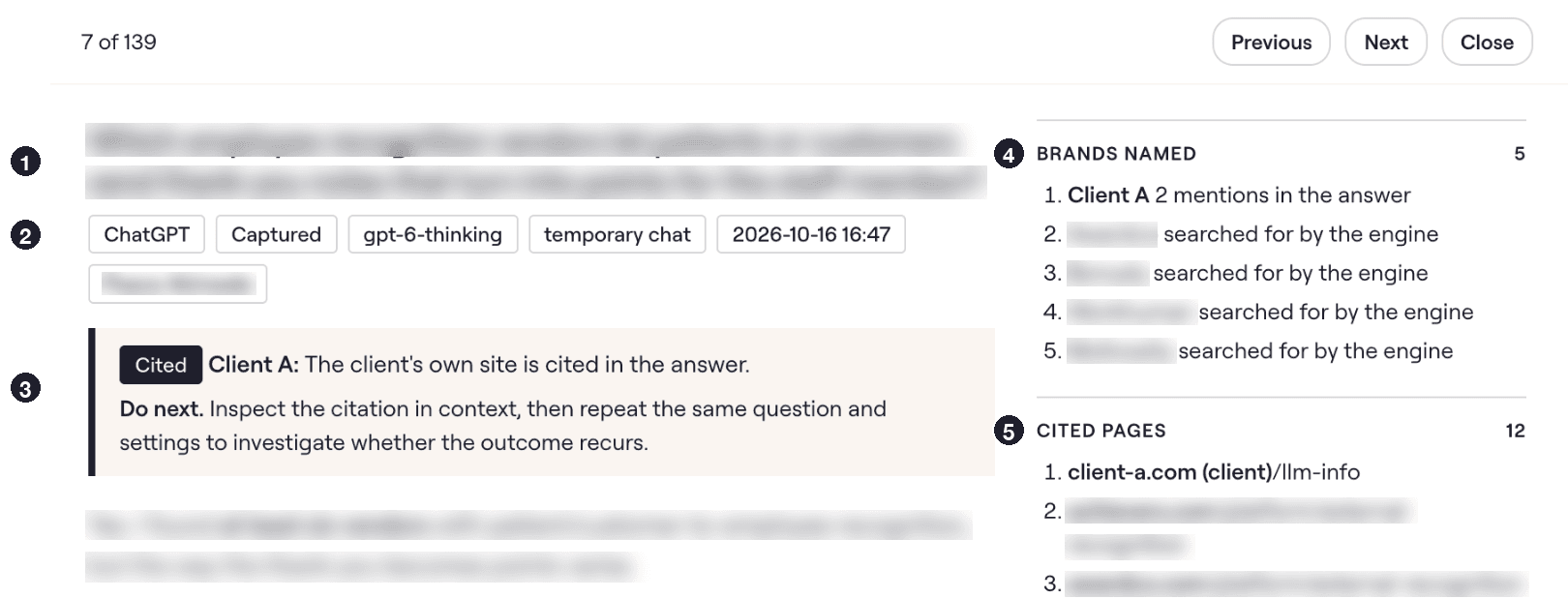
The dashboard brings together the queries, citations and brand mentions from those recordings, so a strategist can follow the relationship between a question, the sources the platform found and the products it recommended (or appeared in its answer).
The team can look at how a cited page explains a use case, compare it with their client’s content, and investigate whether a relevant capability needs a clearer explanation. Or whether there are edge cases they haven’t accounted for that competitors have pages for.
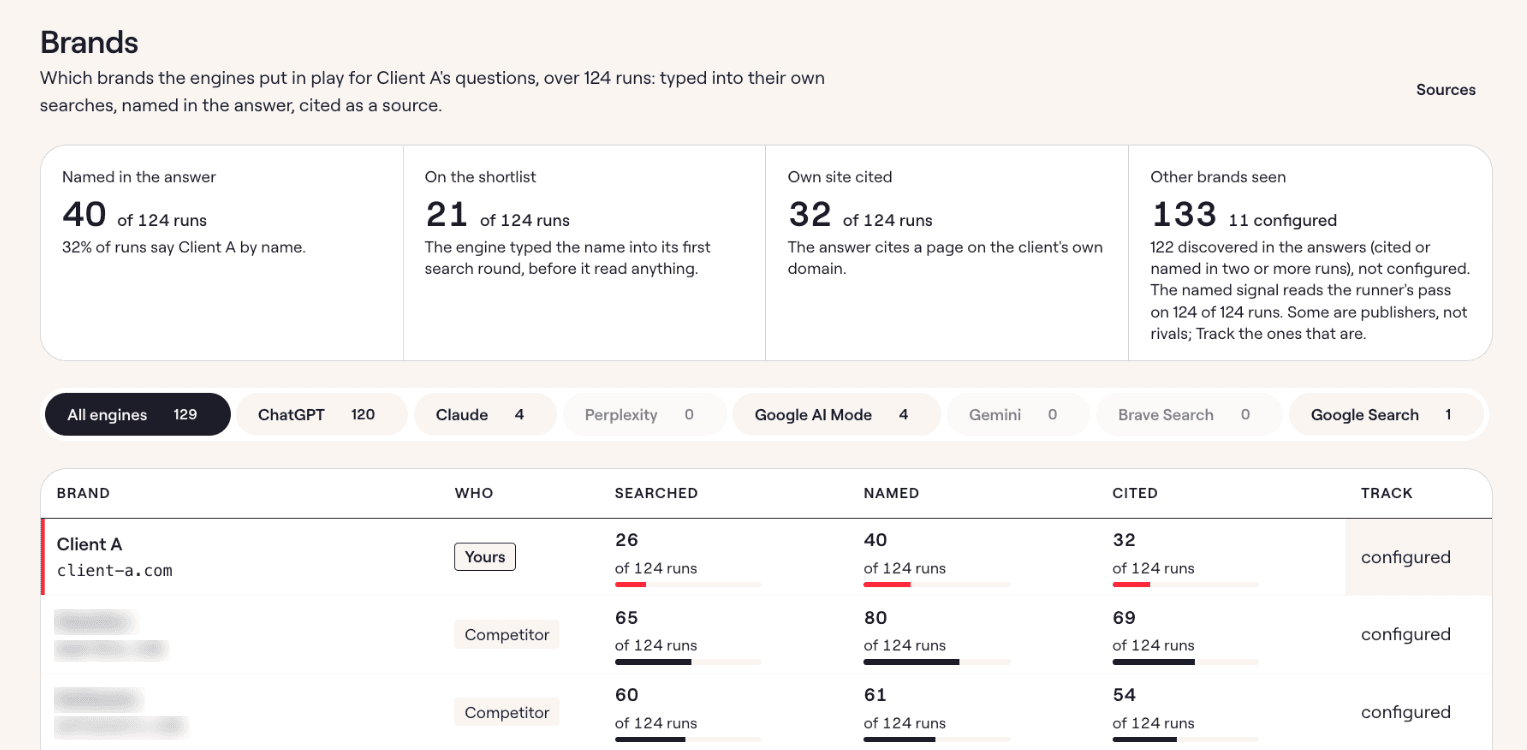
I also separated publishers from competitors so strategists can see whether AI answers cite competing products’ own websites or rely on third-party sites to discuss those products.
If a competitor’s page gets cited, the strategist can inspect how it explains the use case and compare that with the client’s content. If a publisher gets cited, they can check which brands the article includes, what it says about them, and whether the client is missing.
This helps the team decide whether to improve how the client’s website explains relevant use cases or investigate opportunities to get the product included in the sources AI platforms are already using.
Compare searches and brand recommendations across AI platforms
I ran commercial queries across AI platforms and tested different model settings to compare the searches they made, the sources they cited, and which brands they recommended. This helped me assess which settings provided enough research detail for a strategist to investigate how a client appeared in the answer.
I also separated API simulations from recordings captured in the browser because API responses don’t always expose the full search activity behind an answer.
They can still show whether the model mentions a brand and how it describes it, but the strategist needs to know which search details are available before using the response to explain why that brand appeared.
The dashboard lets the team inspect an individual recording or export the responses to a batch of prompts for further analysis. This lets them compare how the platform describes and recommends a brand across several responses, instead of treating one answer as a complete explanation of how it sees the brand.
The team uses the tool to collect AI search activity. It gives them evidence for questions about AI visibility and helps them know how to optimize a client’s brand better for AI search.