Project + Workspace
Find the right internal links for a draft before it goes live.
MyLinks crawls a site, understands which pages matter, and suggests natural internal links inside a draft or Google Doc. You review every suggestion, add client-approved destination URLs when needed, and export or apply the linked version without turning the article into spam.
01 · Crawl
Add a client domain. MyLinks pulls the sitemap, extracts titles and metadata, and builds a ranked inventory of pages to link to.
02 · Draft
Paste the article or connect a Google Doc. Add any client-approved URLs you must route into the piece.
03 · Export
Approve each suggested link, then copy the linked HTML, export a .docx, or send approved links straight into the Google Doc.
What you can do in the workspace
- Instead of guessing which URLs to link to, you pull from the real site inventory, review the suggestions, and decide what should actually make it into the article.
- Create a project for each client domain and crawl the sitemap into a usable inventory.
- Support pasted drafts and Google Doc imports in the same workflow.
- Add client-approved destination URLs before suggestion generation.
- Prefer product, service, and landing pages when they are the better editorial fit.
- Copy, export, or auto-apply approved links back to Google Docs after approval.
What it is
An SEO tool that crawls your website, understands your content inventory, & suggests precise internal links for any draft, then applies them directly to Google Docs.
The problem it solves
Internal linking is important for SEO, but is usually a time-consuming one.
I often have to manually scan hundreds of pages or do a “clientwebsite.com: anchor text” search for relevant linking opportunities on every article.
If a writer wants to be lazy, this part that helps Google understand your website architecture is the easiest to skip. With MyLinks, I don’t have to.
How it works
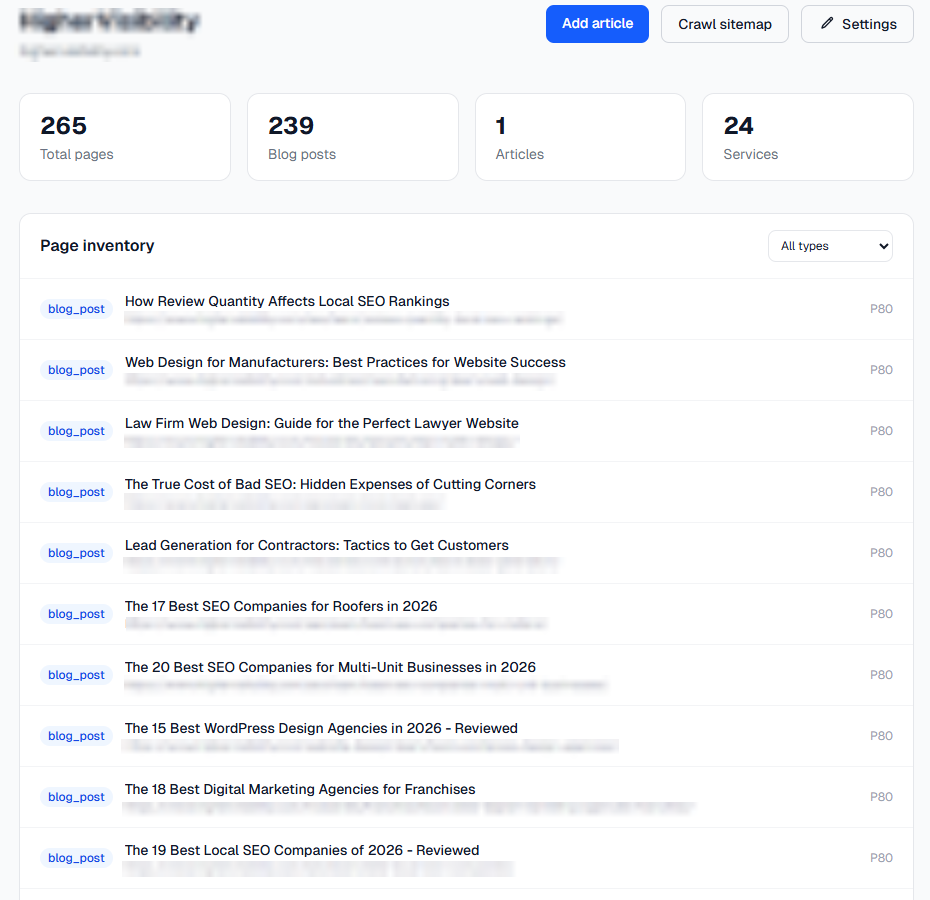
I connect my (client’s) domain. MyLinks crawls the sitemap, extracts every page’s title, URL, headings, word count, & page type, then assigns each page a priority score. See example here:
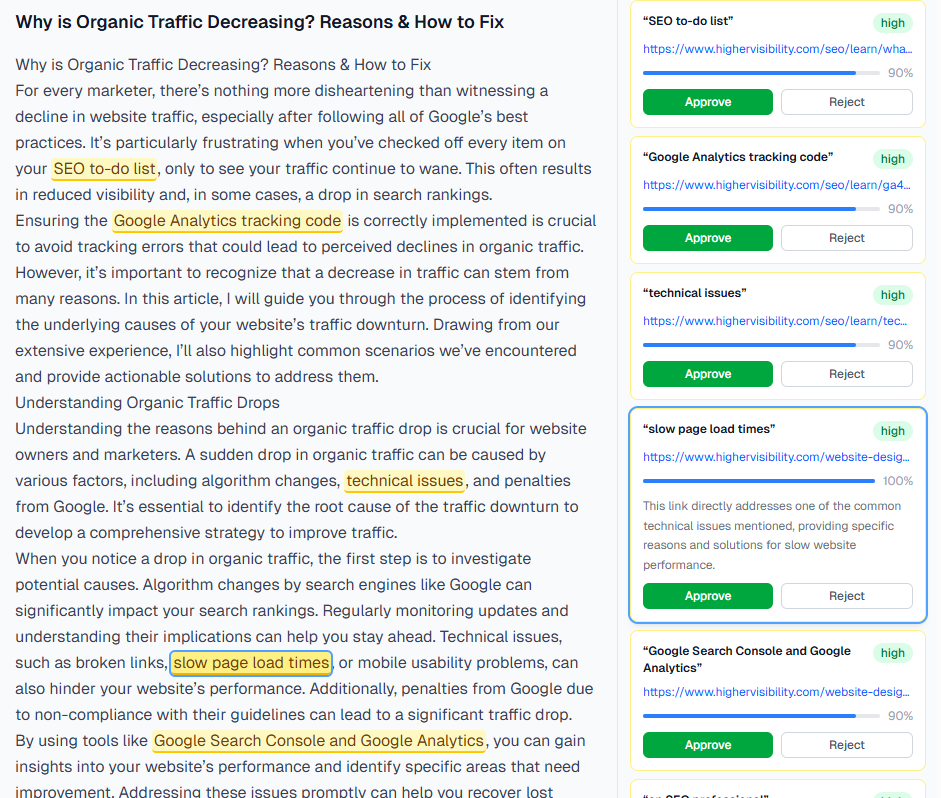
When I’m ready to link a draft, I’d paste my article (or connect a Google Doc). The AI, via Google Gemini, reads the draft against my top 200 pages below four years old & returns 8–15 link recommendations, each with the exact anchor text, the target URL, a relevance score, & a reason for why the link is valuable in plain-English.
This is the dashboard after I get link suggestions (before I approve or reject any):
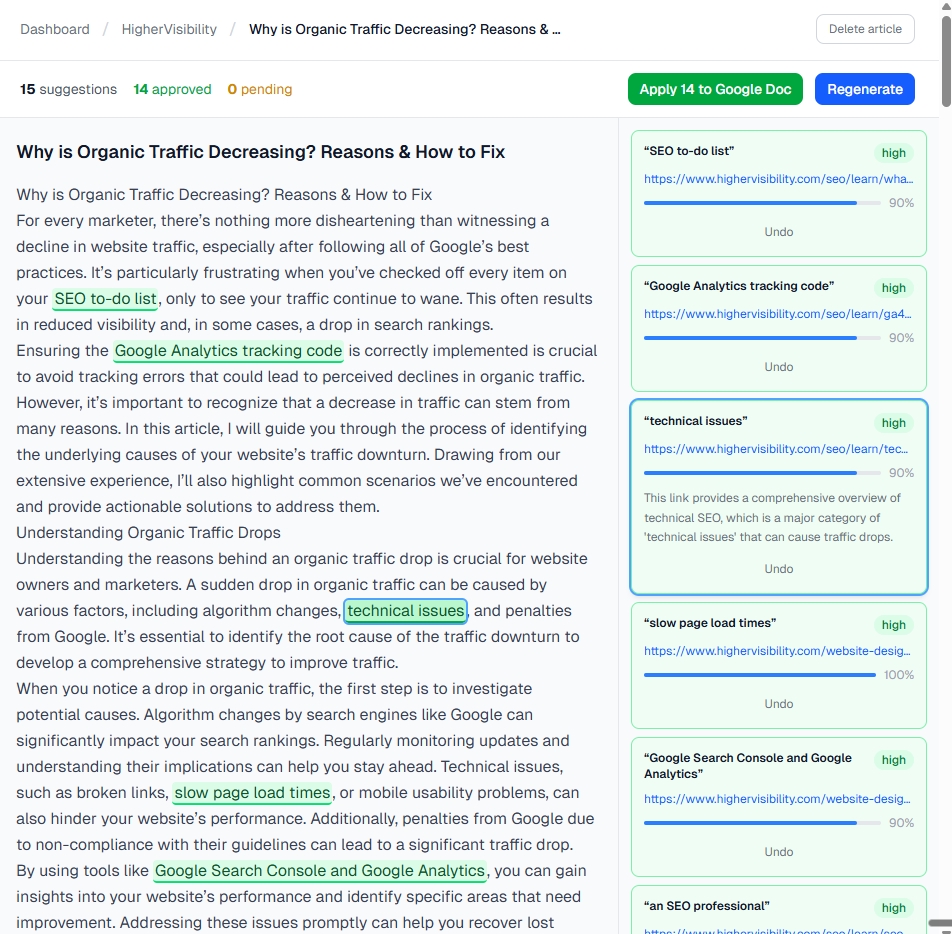
This is what it looks like when I accept its recommendations:
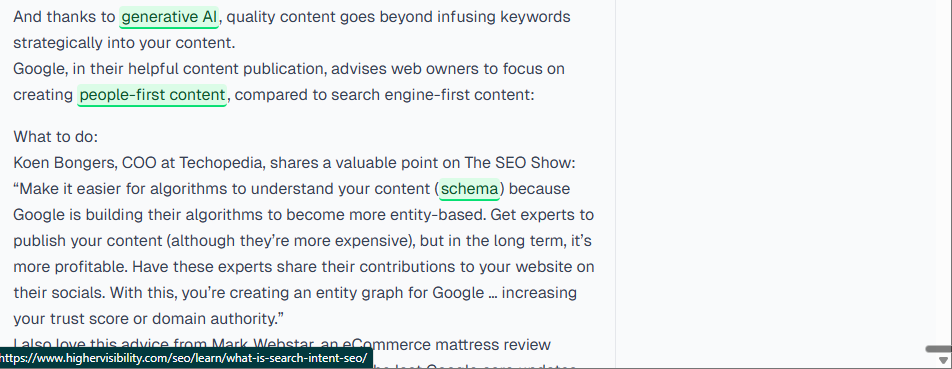
& this is what it looks like when I apply those edits to Google Docs:
I get to review each suggestion in a split-panel interface: my article on the left, recommendations on the right, like Grammarly. I approve the links I want, reject those I don’t, & breeze through other writing/editing tasks.
What this means for you
If you manage multiple writers or have a high publishing frequency because of your industry, this tool can save you & your team a lot of time. Especially if they don’t understand how most of your existing content fit into the larger “content library” you have built.
I built with: Claude Code, Google Gemini 2.5 Flash, Supabase, Google Docs API, Next.js, Cheerio.
Take a look at my GitHub repo.I wrote wrote about it on LinkedIn here